How to Epson PVC Card: Printing Guide for L800 Series Printers
How to Epson PVC Card: Printing Guide for L800 Series Printers
Epson Special Quality PVC Cards are the professional standard for creating high-quality, glossy ID cards using inkjet technology. These cards are specifically engineered for the Epson L800 series, including the L805, L810, L850, L8050, and L18050 models. By using these specialized cards, businesses in India can produce vibrant, high-resolution prints without the need for expensive thermal transfer equipment. Abhishek Products in Secunderabad provides these cards in a pack of 200, ensuring a reliable supply for schools, offices, and service bureaus.
Before you start
To use an Epson PVC card, you must have a compatible L-series printer equipped with a dedicated PVC card tray. These cards feature a special inkjet-receptive coating that allows the ink to bond instantly to the glossy white surface. Unlike standard plastic cards, these are designed to absorb inkjet ink without smudging or bleeding. This makes them the ideal choice for creating employee IDs, visitor passes, and membership cards directly from your desktop printer.
Epson PVC cards work through a specialized chemical coating applied to the surface of the plastic. Standard PVC cards are non-porous, meaning regular inkjet ink would simply bead up and wipe off. However, these 'Special Quality' cards feature a micro-porous layer that captures and locks the ink droplets as they leave the printer head. This technology allows for high-resolution results that are both sharp and durable, specifically for the L800, L805, L810, L850, L8050, and L18050 printers.
- Storage: To maintain the inkjet-printable quality, keep the cards in a cool, dry place away from direct sunlight. This prevents the coating from degrading, ensuring every card in the 200-pack performs as well as the first.
- Handling: Always handle the cards by the edges to avoid leaving fingerprints on the printable surface, as oils from the skin can affect ink absorption and print clarity.
- Compatibility: These cards are compatible with the L800, L805, L810, L850, L8050, and L18050 models.
Setup steps
Design software configuration
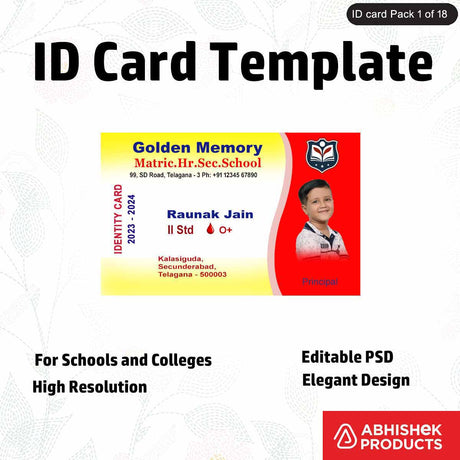
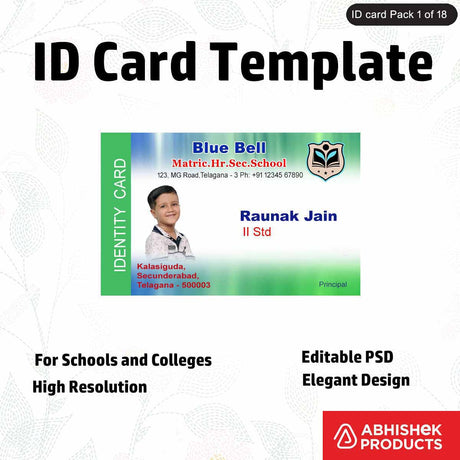
The best way to use Epson PVC cards is to ensure your design software is set to the standard ID card size (86mm x 54mm) before printing. Using high-resolution images and vector graphics will result in the most precise and vibrant prints. Since these cards are glossy white, they reflect colors accurately, making them perfect for photo IDs. Beginners should start by downloading the correct template for their specific printer model to ensure the design aligns with the physical card on the tray.
Printer driver settings
The process involves selecting the correct media settings in the print driver. For the best results, users should select the 'CD/DVD' or 'PVC Card' setting in the Epson print preferences. This ensures the printer aligns the design perfectly within the standard card dimensions. Set the quality to 'High' or 'Best Photo' to ensure the colors are vibrant and the text is sharp. It is recommended to use original Epson inks to maintain the longevity and color accuracy of the prints on these specialized surfaces.
How to use the printer
- Create your design: Use a standard ID card template (86mm x 54mm). Ensure that the background extends slightly beyond the edges to allow for a full-bleed print.
- Prepare your printer: Insert the PVC card tray. Place the glossy white card firmly into the designated slot on the tray, ensuring it sits flat to avoid head strikes.
- Select paper type: Open your print settings. For the L800 and L805 series, this is usually 'CD/DVD'. For the newer L8050 and L18050, select the 'PVC Card' option if available.
- Print: Send the print command and wait for the tray to exit the printer. The ink will dry almost instantly on the specialized coating, but it is best to let it sit for a few seconds before handling.
- Inspection: Inspect the card for alignment and color accuracy. If the print is off-center, adjust your template margins accordingly.
Troubleshooting or common issues
If you encounter any quality issues, Abhishek Products provides a detailed timing and temperature chart for various printing processes, although these specific cards are designed for direct inkjet printing. If the print is off-center, adjust your template margins accordingly. Abhishek Products in Secunderabad offers lifetime free support to help customers calibrate their printers for these specific glossy white cards and provides a solution to all printing problems, including quality issues and software configuration.
For businesses looking to maximize their investment, using these cards with the newer L8050 and L18050 printers offers faster print speeds and improved color management. The synergy between Epson’s innovation and these high-quality PVC cards results in professional-grade results every time.
Related products
- Epson Special Quality PVC Cards (Pack of 200): Ideal for professional ID card creation because they feature a glossy white, inkjet-printable surface compatible with the L800 series. These cards are designed for vibrant and precise results in every print.
- Epson L8050 Inkjet Printer: Ideal for high-volume card production because it offers dedicated PVC card printing capabilities and works seamlessly with glossy white inkjet cards. It is a top choice for professionals seeking perfection in every print.
Frequently Asked Questions
⚡ Fast Answers Summary
- These cards are meticulously designed for compatibility with the Epson L800 series, specifically the L800, L805, L810, L850, L8050, and L18050 printers.
- Each pack contains 200 high-quality, glossy white PVC cards.
- The cards feature a glossy white finish.
These cards are meticulously designed for compatibility with the Epson L800 series, specifically the L800, L805, L810, L850, L8050, and L18050 printers. They require a printer with a dedicated PVC card tray to function correctly.
Each pack contains 200 high-quality, glossy white PVC cards. This quantity is designed to provide a reliable supply for various professional and creative projects, from business cards to employee IDs.
The cards feature a glossy white finish. This finish is specifically engineered to provide a professional appearance and ensure that inkjet prints are vibrant, sharp, and visually appealing.
Yes, these cards are the perfect canvas for business cards, ID cards, and other professional creative projects. Their inkjet-printable surface ensures high-resolution results suitable for official use.
You can purchase these cards from Abhishek Products, located at Shop No. 37, Ground Floor, Minerva Complex, S.D. Road, Secunderabad, Telangana. They also offer online ordering through AbhishekID.com.
Abhishek Products provides lifetime free support for all their printing products. With over 32 years of experience, they offer solutions to all printing problems, including quality issues and technical setup.