How to Best Mobile Skin: A Guide to Professional Sticker Lamination
How to Best Mobile Skin: A Guide to Professional Sticker Lamination
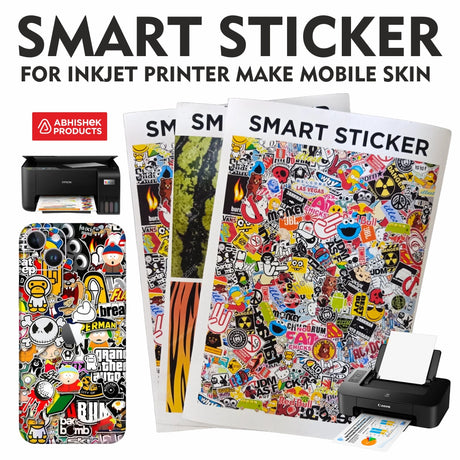
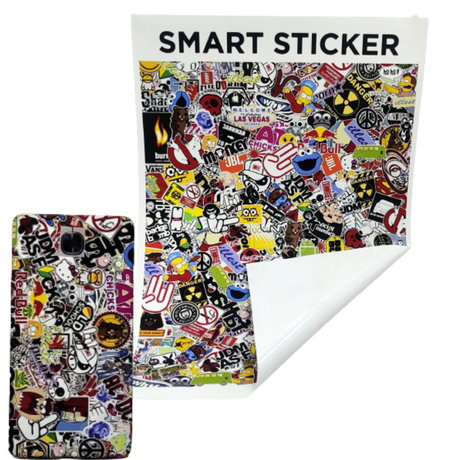
Professional mobile skins are created by printing on smart stickers using a standard inkjet printer and applying lamination finishes like Matte, Sparkle, or 3D. Using a 7-inch hand roller ensures bubble-free application, while heat allows the material to stretch perfectly over curved mobile edges without leaving residue upon removal.
- Compatible with standard inkjet printers (no ink change required).
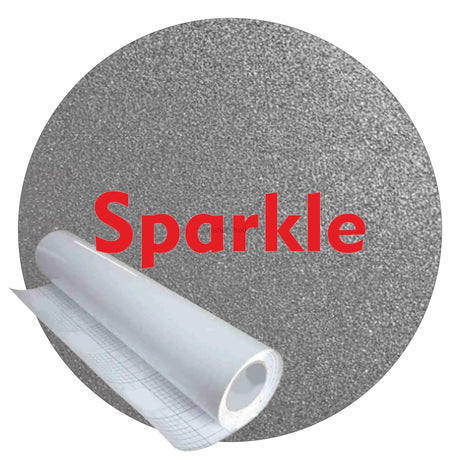
- Available in Matte, Sparkle, and 3D lamination finishes.
- Heat-stretchable material ensures a perfect fit on mobile bends and corners.
The "best" mobile skin is defined by its durability and fit. Using a 7-inch hand roller during the application phase is critical to prevent air bubbles and ensure the adhesive bonds uniformly to the device surface. In the Indian market, where mobile models vary significantly, the ability to print custom designs on-demand using existing equipment provides a significant competitive advantage for local businesses.
Before you start
To produce the best mobile skin, you must use smart sticker media compatible with standard inkjet printers. This process eliminates the need for specialized ink changes, making it highly cost-effective for Indian mobile shop owners. The quality of the skin depends on the combination of high-resolution printing and the subsequent lamination layer which protects the design from wear and tear.
For beginners entering the mobile skin business in India, the primary requirement is a standard inkjet printer and the correct raw materials. You do not need expensive industrial machinery to start. The core components are the smart sticker sheets, the lamination film (Matte, Sparkle, or 3D), and a 7-inch hand roller for manual application.
One of the most important features for beginners to understand is the residue-free adhesive. High-quality smart stickers from AbhishekID.com are designed to leave no stains or sticky marks on the mobile when the customer decides to remove or change the skin. This builds trust with clients who are concerned about the resale value of their expensive smartphones.
Setup steps
Printing the design
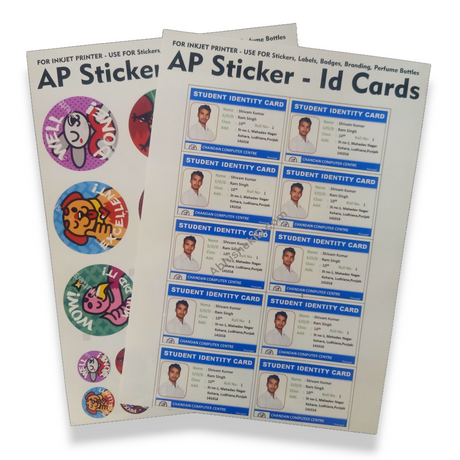
The step-by-step process for creating a professional mobile skin starts with digital design. Once the design is ready, print it onto the smart sticker media. Ensure the printer settings are optimized for high-quality photo printing to get the best color depth. There is no need to change your standard inkjet ink for this process.
Lamination and cutting
Step two involves lamination. Apply the lamination film (Matte, 3D, or Sparkle) over the printed sticker. This layer acts as a shield against moisture and friction. After lamination, cut the skin to the specific dimensions of the mobile model. Precision cutting is essential to ensure ports, cameras, and buttons remain accessible.
Final application
The final step is the application to the device. Align the skin starting from the camera module or the bottom charging port. Use the 7-inch hand roller to press the skin down firmly, moving in one direction to push out air. When you reach the edges, apply heat to make the sticker pliable. Stretch the material slightly to wrap it around the corners for a clean finish.
How to use the printer
The best way to use mobile skin stickers is to follow a three-stage process: printing, laminating, and heat-application. Start by printing your chosen design onto the smart sticker sheet using a standard inkjet printer. Since no ink modification is required, you can maintain your printer's warranty while producing high-quality graphics for customers.
- Print the Design: Use a standard inkjet printer to print your design onto the smart sticker media. No special ink is required for this step.
- Apply Lamination: Choose between Matte, Sparkle, or 3D lamination and apply it over the printed sheet to protect the ink and add texture.
- Prepare the Device: Clean the mobile phone thoroughly with a lint-free cloth to ensure the surface is free of dust and oils.
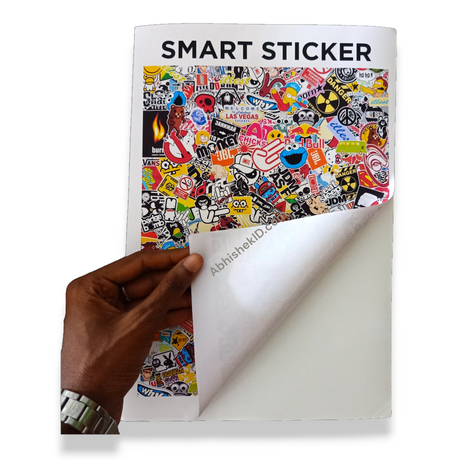
- Initial Alignment: Peel a small portion of the backing and align the skin with the camera or charging port of the phone.
- Roll for Adhesion: Use the 7-inch hand roller to press the skin onto the flat surface of the phone, moving from the center to the edges to remove air.
- Heat and Stretch: Apply heat to the corners and edges using a heat gun. Gently stretch and fold the material over the curves for a seamless fit.
Mobile skin technology works through a combination of specialized adhesive backing and a heat-sensitive vinyl-based top layer. The smart sticker material is engineered to accept standard inkjet dyes and pigments without smudging. The adhesive is semi-permanent, meaning it stays firmly in place during use but releases cleanly when pulled with consistent force.
Quality mobile skins must also be heat-responsive. When applying the skin to the curved edges of modern smartphones, applying controlled heat allows the material to stretch and conform to the device's geometry. This results in a seamless, factory-finished look that covers the back and sides of the phone completely.
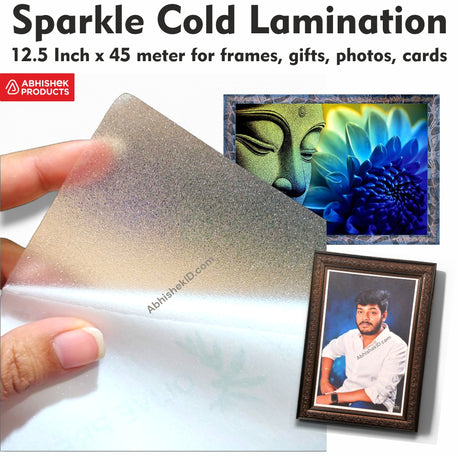
The lamination layer works as a protective barrier. Whether it is a 3D, Matte, or Sparkle finish, the lamination prevents the ink from fading due to UV exposure or skin oils. This is particularly important in India, where high temperatures and humidity can otherwise degrade printed materials quickly. The lamination also adds the necessary thickness to make the skin durable enough to protect the phone from minor scratches.
The physical "work" of the skin happens during the heating phase. The material has a thermal memory; when heated, it becomes elastic, allowing it to be molded over complex curves. Once it cools down, it retains that shape, effectively "locking" onto the phone. This ensures that the edges do not peel off even with frequent pocketing of the device.
Related products
- 7-inch Hand Roller: Ideal for mobile skin application because its width covers the entire surface of most modern smartphones in a single pass, ensuring zero air bubbles. This tool is essential for providing the uniform pressure needed for a professional bond.
- Smart Sticker Media: Ideal for small business owners because it works with standard inkjet printers without requiring specialized ink changes. This allows for high-quality custom printing with low overhead costs.
- Lamination Films: Available in Matte, Sparkle, and 3D finishes, these are ideal for customizing the tactile feel of the device and providing necessary protection to the printed design.
Frequently Asked Questions
⚡ Fast Answers Summary
- No, you do not need a special printer.
- No, the high-quality smart sticker material is specifically designed to be residue-free.
- The material is heat-stretchable.
No, you do not need a special printer. The smart stickers used for mobile skins are designed to work with standard inkjet printers. You can use the same ink you use for document printing, which makes it a very accessible business for existing mobile shops or photo studios in India.
No, the high-quality smart sticker material is specifically designed to be residue-free. This means that even after months of use, you can peel the skin off without leaving any glue stains or sticky residue on the device. This is a key feature for protecting the phone's original finish.
The material is heat-stretchable. By using a heat gun or a hair dryer on the edges of the sticker, the material becomes soft and elastic. This allows you to stretch and bend it over the curved corners of the mobile, ensuring a smooth fit without any wrinkles.
The 7-inch hand roller is used to apply even pressure across the surface of the mobile skin. This tool is essential for removing air bubbles and ensuring that the adhesive makes full contact with the phone. Its size is perfect for covering the width of most smartphones in India.
You can choose from three main finishes: Matte, Sparkle, and 3D. Matte provides a smooth, non-shiny look; Sparkle adds a glittery effect that catches the light; and 3D lamination provides a physical texture that you can feel, adding a premium touch to the mobile skin.
Yes, since the process uses standard inkjet printing, you can print any high-resolution image, pattern, or photograph. This allows for complete personalization, enabling customers to have unique designs, family photos, or brand logos on their mobile devices.