- Before you start
- How does Cut Fast Easy work
- Cut Fast Easy guide for beginners
- Setup steps
- Preparing the workspace
- How to use the printer
- Cut Fast Easy step by step
- What is the best way to use Cut Fast Easy
- How to Cut Fast Easy
- Troubleshooting or common issues
- Maintaining your equipment
- Related products
- Frequently Asked Questions
✨ Featured Products


How to Cut Cards Fast & Easy with a Rotary Cutter?
How to Cut Cards Fast & Easy with a Rotary Cutter?
To cut fast and easy, you must use a heavy-duty rotary trimmer that supports up to 800 microns of thickness. This equipment allows for high-speed precision cutting of PVC sheets, laminated ID cards, and heavy cardstock without the jagged edges common in manual scissors.
In the Indian printing market, efficiency is critical for managing high-volume orders for Aadhaar cards, student IDs, and corporate badges. Utilizing a rotary system ensures that every cut is perfectly straight, reducing waste and increasing the professional quality of your output.
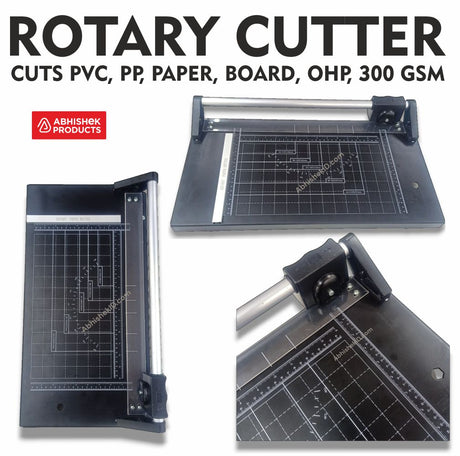
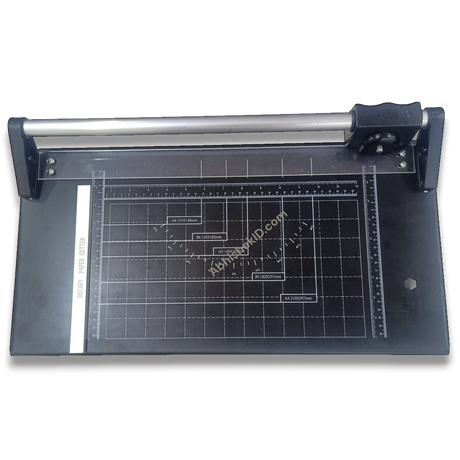
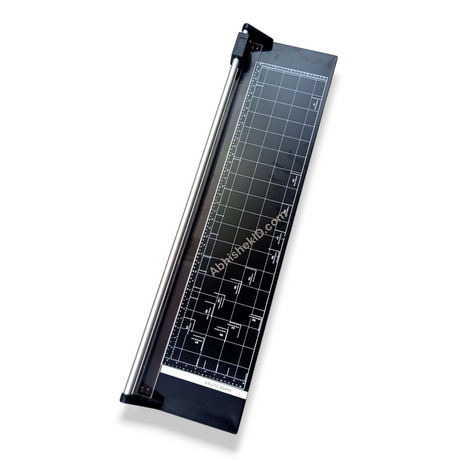
By integrating tools like the 14'' Rotary Paper Trimmer/Cutter Heavy Duty For Up To 800 Mic, businesses in Secunderabad and across India can streamline their finishing process. This tool is specifically engineered for durability and repetitive use in busy print shops.
Before you start
How does Cut Fast Easy work
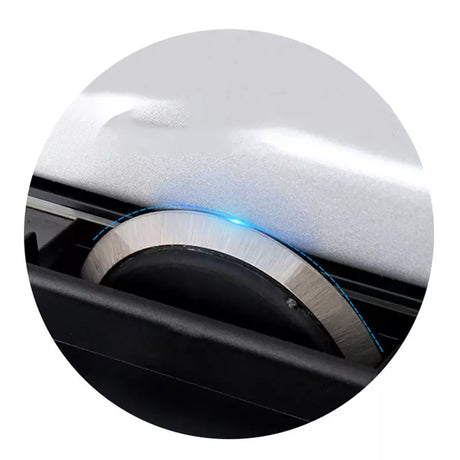
The "Cut Fast Easy" system works by utilizing a circular steel blade that rotates as it is pushed along a precision-engineered metal rail. This rotation creates a shearing action against the base plate, which allows it to slice through materials up to 800 microns with extreme accuracy.
The heavy-duty nature of these trimmers comes from the reinforced rail and the high-grade steel used in the blades. Whether you are using the 14-inch or the 36-inch model, the mechanism remains the same: the blade sharpens itself slightly against the cutting edge during use, though eventually, a replacement is needed.
This mechanism is superior for ID card production because it prevents the "fanning" effect where the bottom sheets of a stack are cut differently than the top sheets. The rotary action ensures that the pressure is localized exactly where the blade meets the paper, resulting in a perfect edge every time.
Cut Fast Easy guide for beginners
Beginners should start by familiarizing themselves with the safety features of the rotary cutter, specifically the enclosed blade housing. Unlike open-blade cutters, the rotary trimmer protects the user's fingers while allowing for high-speed operation on materials up to 800 microns thick.
Start with scrap paper to get a feel for the sliding tension. You will notice that the 36'' Rotary Paper Trimmer/Cutter Heavy Duty For Up To 800 Mic requires a steady hand but very little physical force to slice through thick laminates. This makes it an ideal tool for new staff members in a print shop.
For those just starting, Empower Your Business with DIY ID Card Printing Solutions by learning how to cut multiple sheets at once. While these trimmers are heavy-duty, beginners should ensure they do not exceed the 800-micron limit to maintain the longevity of the rail system.
Setup steps
Preparing the workspace
Place the rotary trimmer on a flat, stable work surface to prevent wobbling during the cut.
How to use the printer
Cut Fast Easy step by step
- Slide the paper or PVC sheet under the transparent guide rail, aligning the edge with the desired measurement on the grid.
- Hold the material in place with one hand, ensuring it is flush against the top ruler for a 90-degree cut.
- Grip the rotary cutting head and push it firmly from one end of the rail to the other in a single, continuous motion.
- Check the cut edge for smoothness and repeat the process for the remaining sides of your document or card.
Following these steps ensures you are Unleashing Efficiency: Master the Art of Cutting with Advanced Rotary Cutters. This systematic approach is what allows professional shops to maintain high output speeds without sacrificing the quality of the finished product.
What is the best way to use Cut Fast Easy
The best way to use a rotary cutter for fast results is to align your material against the built-in grid lines and secure it firmly under the transparent clamping rail. Applying even downward pressure on the cutting head while sliding it ensures a clean, 800-micron capacity cut in one motion.
Proper alignment is the foundation of speed. If the material is not aligned correctly the first time, you will spend more time correcting errors than actually cutting. Using the measurement scales on the trimmer base helps in maintaining consistency across hundreds of identical prints.
When you focus on Mastering ID Card Creation: Essential Tools and Tips for Your Business, you realize that the best usage involves both the right technique and the right hardware. The rotary cutter is a safer and more precise alternative to traditional guillotine cutters for high-detail work.
How to Cut Fast Easy
The fastest way to cut paper and plastic sheets is by using a rail-mounted rotary cutter that provides consistent pressure across the entire length of the material. This method eliminates the need for multiple passes and prevents the material from shifting during the cutting process.
Speed in cutting is achieved through the ergonomic design of the rotary head, which allows the user to glide the blade across the sheet with minimal resistance. This is essential when Empowering Your Business with Quality ID Card Production, as it saves time on every single card produced.
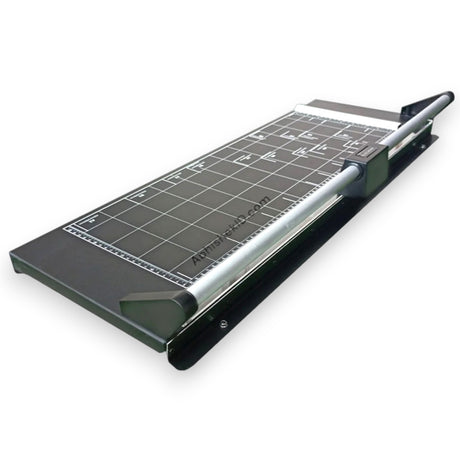
For those handling larger formats, the 24'' Rotary Paper Trimmer/Cutter Heavy Duty For Up To 800 Mic offers an extended cutting table. This allows for the rapid processing of larger sheets, which can then be subdivided into smaller ID card sizes or marketing materials.
Troubleshooting or common issues
Maintaining your equipment
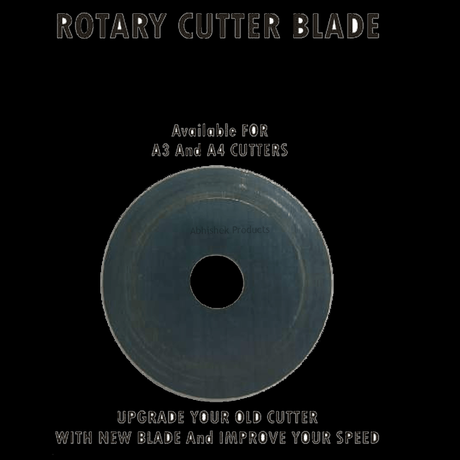
Maintaining your equipment is also part of the "best way" to operate. Always keep a 6Mm Spare Blade Heavy Duty - 1 Pcs For Rotary Cutter on hand. A dull blade will slow down your production and can damage the edges of your 800-micron sheets, leading to customer dissatisfaction.
Related products
- 14'' Rotary Paper Trimmer/Cutter Heavy Duty For Up To 800 Mic (₹Contact for price) - Ideal for standard office use and ID card shops because it handles A4 sheets and thick laminates up to 800 microns with ease.
- 24'' Rotary Paper Trimmer/Cutter Heavy Duty For Up To 800 Mic (₹Contact for price) - Ideal for medium-scale print environments that need to trim larger posters or multiple ID card sheets simultaneously.
- 36'' Rotary Paper Trimmer/Cutter Heavy Duty For Up To 800 Mic (₹Contact for price) - Ideal for industrial-scale operations requiring the maximum cutting width for wide-format prints and heavy-duty 800-micron materials.
- 6Mm Spare Blade Heavy Duty - 1 Pcs For Rotary Cutter (₹Contact for price) - Ideal for maintenance because it ensures your trimmer continues to provide clean, fast cuts without tearing the material.
Frequently Asked Questions
⚡ Fast Answers Summary
- A heavy-duty rotary cutter from AbhishekID.
- You should replace the blade when you notice the cutter is tearing the edges of the paper rather than slicing them cleanly.
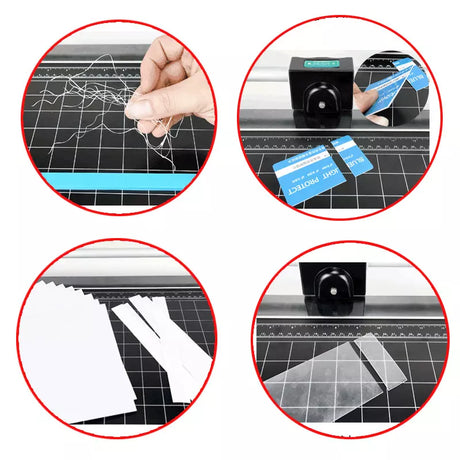
- Yes, these rotary trimmers are specifically designed to cut PVC sheets used in ID card production.
A heavy-duty rotary cutter from AbhishekID.com can handle materials up to 800 microns thick. This includes standard paper, heavy cardstock, and laminated PVC sheets used for ID cards. Exceeding this thickness may result in a jagged cut or damage to the internal rail mechanism of the trimmer.
You should replace the blade when you notice the cutter is tearing the edges of the paper rather than slicing them cleanly. If you have to apply excessive pressure or make multiple passes to cut through an 800-micron sheet, it is time to install a new 6mm spare blade to maintain efficiency.
Yes, these rotary trimmers are specifically designed to cut PVC sheets used in ID card production. The heavy-duty build quality allows the blade to slice through the plastic and lamination layers up to 800 microns without cracking the material, which is a common issue with cheaper, light-duty office trimmers.
The 14-inch rotary trimmer is generally the best choice for small ID card shops. It is compact enough to fit on a standard desk while providing enough width to cut A4-sized sheets, which is the standard size for most ID card printing layouts in the Indian market.
Rotary paper cutters are significantly safer because the sharp edge of the blade is enclosed within a plastic housing. The blade only makes contact with the material when the head is pressed down and slid across the rail, greatly reducing the risk of accidental cuts during the alignment process.
Changing the blade on a heavy-duty rotary cutter is a straightforward process that typically requires minimal tools. By removing the end cap of the rail, you can slide the old cutting head out and replace it with a new 6mm heavy-duty spare blade, ensuring your machine returns to peak performance immediately.