✨ Featured Products

How to Safely Remove Lamination from Documents?
How to Safely Remove Lamination from Documents?
Safe lamination removal is a critical skill for print shops and document centers in India. Many original documents, such as property papers or old educational certificates, are often laminated for protection, but there are times when the plastic must be removed for official verification or scanning. Using the right equipment and temperature is the only way to ensure the paper remains intact during this delicate process.
Before you start
To perform safe lamination removal, you must apply consistent heat to the laminated surface to soften the Ethylene Vinyl Acetate (EVA) glue. Once the adhesive reaches its melting point, the plastic film can be gently separated from the paper fibers. It is vital to use a machine that offers stable temperature control to avoid scorching the document.
Safe lamination removal works by exploiting the thermoplastic properties of the adhesive used in lamination pouches. The glue, typically EVA, is solid at room temperature but becomes a viscous liquid when heated. By raising the temperature, you temporarily eliminate the structural bond between the plastic film and the paper.
For beginners, safe lamination removal starts with understanding the materials involved. Most lamination pouches consist of a polyester film and a heat-sensitive glue layer. Beginners should never pull the plastic forcefully while it is cold, as this will almost certainly tear the paper surface or lift the printed text.
When the document passes through the rollers, the heat is transferred through the plastic to the glue layer. Because the machine supports up to
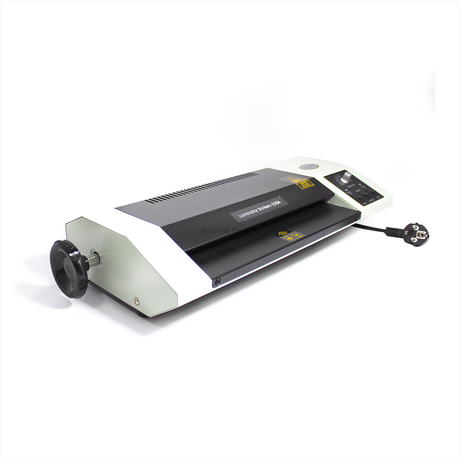
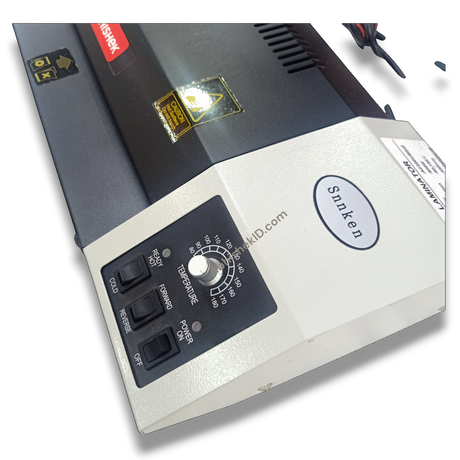
⚡ Fast Answers Summary Yes, you can remove lamination from an Aadhaar card using controlled heat. By using a machine like the Snnkenn 12 Inch A3, you can soften the adhesive and peel the plastic away. However, be extremely careful as some Aadhaar cards are printed with heat-sensitive ink that may smudge if overheated. The ideal temperature for safe lamination removal is usually between 110°C and 150°C, depending on the thickness of the pouch. Thicker pouches, such as 350 microns, require more heat. It is best to start at a lower temperature and gradually increase it until the plastic begins to peel easily. If done correctly with a professional lamination machine, the risk of damage is minimized. However, there is always a small risk that the paper fibers or ink may have bonded too strongly with the glue. Always perform a test on a non-critical area first to ensure the paper surface remains intact. While a hair dryer can provide heat, it is not the most effective tool because it does not provide uniform temperature across the entire document. A professional Snnkenn 12 Inch A3 350 Mic Lamination Machine is much safer as it uses rollers to apply even heat and pressure. If glue residue remains, you can try reheating the paper slightly and gently rubbing the residue with a clean, lint-free cloth. In some cases, a very small amount of adhesive remover can be used, but you must ensure it does not react with the ink on your document. Yes, once the old lamination is removed and the surface is cleaned of residue, you can re-laminate the document. This is often done to replace old, scratched, or bubbling lamination with a fresh, clear pouch using a high-quality machine like the Snnkenn 12 Inch A3.Frequently Asked Questions