- Before you start
- Clear transparent inkjet sheet guide for beginners
- How does a transparent inkjet sheet work
- Setup steps
- Printing on transparent sheets step by step
- How to use the printer
- How to print on clear transparent inkjet sheets
- What is the best way to use clear transparent inkjet sheets
- Frequently Asked Questions
How to Use Clear Inkjet Transparency Film?
How to Use Clear Inkjet Transparency Film?
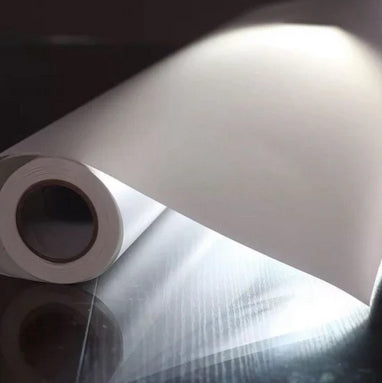
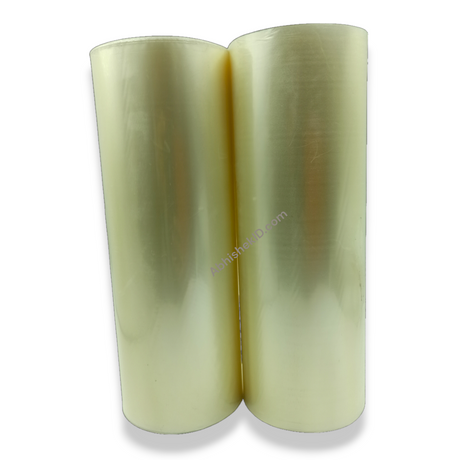
Clear transparent inkjet sheets are a versatile solution for Indian printing businesses looking to produce high-quality awards and personalized gifts. These 100-micron sheets allow for high-resolution printing directly from a standard office inkjet printer, eliminating the need for expensive UV printers or specialized equipment.
Before you start
Clear transparent inkjet sheet guide for beginners
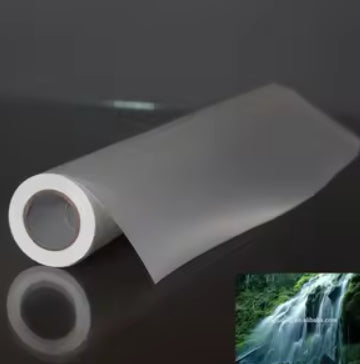
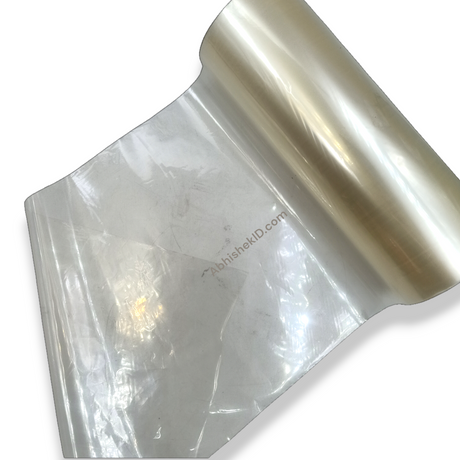
For beginners starting a printing business in India, the clear transparent inkjet sheet is one of the most accessible materials. Unlike sublimation which requires heat presses and special inks, these sheets work with the equipment you likely already own. The primary specification to remember is the 100-micron thickness, which is the standard for professional-grade transparency film.
When starting out, it is important to identify the printable side of the sheet. One side is specially coated to receive inkjet ink. This coating ensures that the ink dries quickly and does not bleed, which is critical when printing detailed logos for school badges or election medals. Abhishek Products in Secunderabad provides these in A4 size, making them easy to store and handle for small-scale operations.
How does a transparent inkjet sheet work
A transparent inkjet sheet works through a specialized microscopic coating applied to the 100-micron plastic film. This coating is designed to be 'ink-receptive,' meaning it traps the liquid ink from a standard inkjet nozzle and holds it in place. Without this coating, standard ink would simply bead up and slide off a regular plastic sheet.
This technology allows for 'Direct Printable' functionality. It bridges the gap between digital design and physical product creation. In the context of a printing business setup, these sheets work alongside other equipment like lamination machines and die cutters to create finished products like ID cards, badges, and corporate awards. They are a fundamental component for any shop offering 'waterproof inkjet' solutions.
Setup steps
Printing on transparent sheets step by step
- The step-by-step process for printing on transparent sheets begins with digital design.
- Ensure your artwork is high-resolution (at least 300 DPI) to maintain clarity on the transparent medium.
- If you are applying the sheet to the underside of a trophy base, remember to mirror your design before hitting print.
- Once the design is ready, load the A4 100-micron sheet into your inkjet printer's manual feed tray.
- Select 'High Quality' or 'Glossy Paper' settings in your printer driver to ensure the maximum ink density.
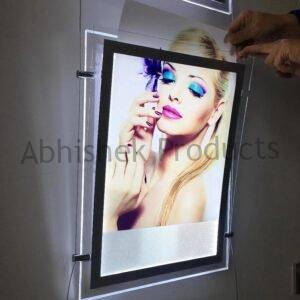
- After printing, allow the sheet to sit for a few seconds. Even though they are 'direct printable,' a brief drying time ensures the ink is fully set before you cut or laminate the sheet for its final application in a memento or photo frame.
How to use the printer
How to print on clear transparent inkjet sheets
To print on clear transparent inkjet sheets, you simply need a standard inkjet printer and the 100-micron printable film. These sheets are engineered to absorb standard inkjet ink instantly, preventing smudging and ensuring a crisp finish for fine text and logos.
In the Indian market, this process is widely used for creating the transparent inserts seen in acrylic trophies and wooden mementos. Because the sheets are A4 size, they fit perfectly into common printers like the Epson L805 or L130, which are staples in Secunderabad printing shops. You do not need to change your ink settings or use specialized eco-solvent inks; the standard CMYK ink used for document printing is sufficient.
What is the best way to use clear transparent inkjet sheets
The best way to use clear transparent inkjet sheets is for high-end corporate gifting and recognition products. Specifically, they are used to create the printed layer for trophies, medals, and badges. By printing your design in reverse (mirror image) and applying it to the back of a clear acrylic block, you create a professional depth effect.
Another effective use case is for photo frames and gift articles. The 100-micron thickness provides enough rigidity to handle easily during the assembly process while remaining thin enough
⚡ Fast Answers Summary You can use any standard inkjet printer to print on these clear transparent sheets. No special or modified printer is required. Popular models used in India, such as the Epson L-series or Canon G-series, are fully compatible with the 100-micron coating. No, you do not need special ink. These sheets are designed to work with the standard dye-based or pigment-based inks already found in your home or office inkjet printer. The specialized coating ensures standard ink adheres perfectly and dries quickly. The transparent inkjet sheets provided by Abhishek Products are 100 microns thick. This thickness provides structural integrity for trophies and mementos while remaining thin enough to pass through standard printer rollers without causing jams. Yes, these sheets are specifically recommended for making trophies, medals, mementos, and badges. They are used to print the decorative layer that is applied to the trophy base, allowing the background material to show through clearly. The sheets are available in the standard A4 size. This makes them compatible with almost all desktop inkjet printers used in India and allows for easy layout of multiple small items like badges on a single page. You can purchase these sheets from Abhishek Products in Secunderabad. They offer local pickup at Minerva Complex and online ordering through their website. Contact them via WhatsApp at 9666224275 for the latest pricing.Frequently Asked Questions