- Before you start
- Setup steps
- How to use the printer
- Troubleshooting or common issues
- Frequently Asked Questions
- Can I use an inkjet printer for gold foil printing?
- What is the correct temperature for gold foil lamination?
- Why are there black dots on my gold foil print?
- What is the purpose of the white paper in the sandwich?
- Can I use different colors of foil with the same machine?
- How do I properly turn off my lamination machine after foiling?
- Related products
✨ Featured Products


How Can Gold Foil Printing Boost Your Business?
How Can Gold Foil Printing Boost Your Business?
Gold foil printing is a transformative technique for Indian businesses looking to elevate their branding. By converting standard black toner into a brilliant metallic finish, you can create high-end visiting cards, certificates, and invitation cards at a fraction of the cost of traditional die-stamping. The process relies on the heat-reactive properties of toner and specialized foil rolls.
To unlock the potential of gold foil printing, you must combine a high-heat lamination machine with a precision laserjet printer. The core mechanism involves the lamination machine applying 180 degrees Celsius of heat and high pressure to bond the metallic foil to the black toner on your paper. This method allows for intricate designs, including lines as thin as 1 mm, to be rendered in a shiny golden color.
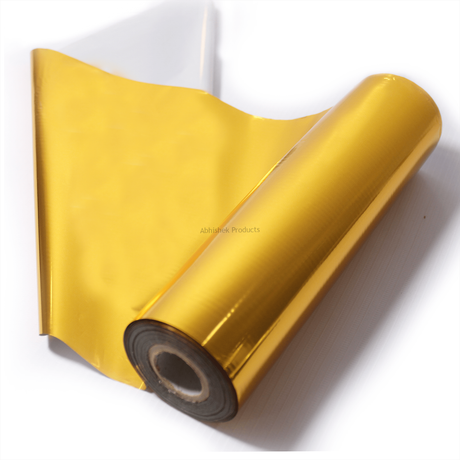
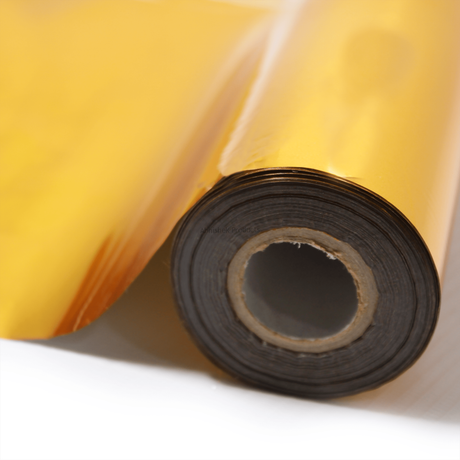
Success in this field requires understanding the synergy between your hardware and consumables. Using a dedicated 8.5 Inchx112 Meter Gold Foil Metallic Roll ensures that the foil adheres consistently to the toner without peeling or flaking. For more insights on scaling this service, read our guide on Unlock the Potential of Gold Foil Printing for Your Business.
Before you start
For beginners, the most important rule is to never use an inkjet printer. Gold foil only sticks to the plastic-based toner found in laserjet printers or high-end photocopiers. Recommended models include the HP 1005 series, M series printers, or the Canon LDP2900. The quality of your output is directly tied to the condition of your printer's internal components, specifically the drum, blade, and cartridge.
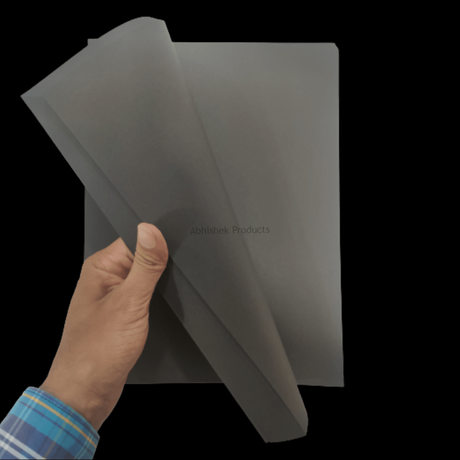
The best way to use this technology is through the 'sandwich' layering technique. You must place your printed paper facing upwards, followed by the gold foil (also facing upwards), and finally a protective layer of 100 gsm white paper. This third layer is critical as it prevents the lamination machine from being damaged by stray foil or toner residue during the high-heat process. Operating the machine at exactly 180 degrees Celsius is the industry standard for achieving a 'Super Quality' finish.
If you are using specialized media, such as A4 Black Mamba Sheets 2 Side Laser Printable For Gold Foil Roll, the contrast between the black paper and the gold foil creates a premium aesthetic that is highly popular for luxury business projects. You can learn more about this specific application in our article Unlock Business Opportunities with Black Mamba Sheet and Gold Foiling.
Setup steps
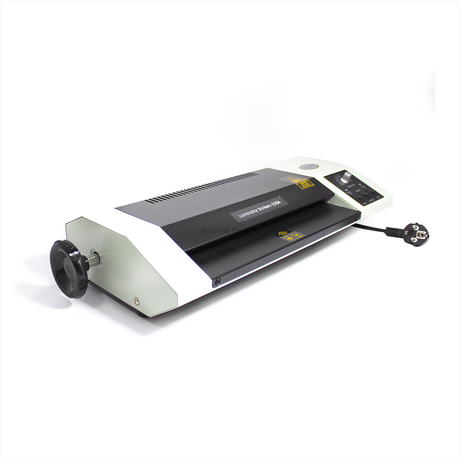
The step-by-step process begins with your design. Once you have printed your design in black toner on your chosen paper (up to 300 gsm), prepare your lamination machine. We recommend the Snnken 12 Inch A3 350 Mic Lamination Machine + Regular Size Lamination Pouches because its 4-roller system provides the necessary pressure for a smooth finish.
How to use the printer
- Prepare the Print: Use a high-quality laserjet printer like the HP 1005 to print your design in black toner on 100 gsm or 300 gsm paper.
- Layer the Materials: Place the printed paper upwards, the gold foil upwards on top of it, and a 100 gsm white paper over both to protect the laminator.
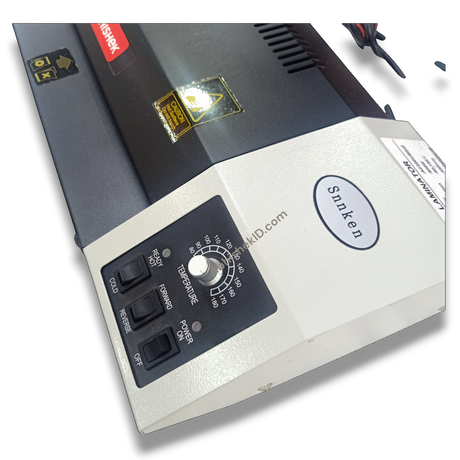
- Set the Temperature: Turn on your Snnken A3 lamination machine and set the temperature knob to 180 degrees Celsius.
- Laminate: Once the machine reaches the set temperature, insert the sandwich into the rollers using the 'Hot Forward' mode.
- Peel and Finish: Remove the paper from the machine and slowly peel away the gold foil roll to reveal the shiny metallic design.
- Cool Down: After finishing the job, turn the temperature to zero and run the machine in 'Cold' mode for 2-5 minutes before switching off to maintain the machine's life.
The science behind gold foil printing is thermal transfer. The black toner from a laser printer acts as an adhesive when heated. When the Snnkenn 12 Inch A3 350 Mic Lamination Machine applies 180°C heat, the toner melts slightly, allowing the metallic layer of the foil roll to bond to it. Areas without toner do not attract the foil, leaving the rest of the paper clean.
This process is versatile and not limited to gold. While gold and light gold are the most popular choices for Indian business projects, you can also use pink, silver, red, blue, and green foils. The procedure remains identical regardless of the color; only the foil roll itself changes. For more advanced tips, refer to Unlocking the Golden Opportunities: Mastering Gold Foil Printing for Business Success.
Troubleshooting or common issues
A common mistake for beginners is using an old printer. If the drum or blade is worn out, you will see tiny black dots on your print. When the foil is applied, these dots turn into golden spots, ruining the clean look of your design. Always ensure your cartridge is new for the best results. For a deeper dive into the equipment needed, check out Unlocking Business Opportunities: An In-depth Guide to Lamination Machines.
Frequently Asked Questions
Can I use an inkjet printer for gold foil printing?
No, you cannot use an inkjet printer for this process. Gold foil printing requires a laserjet printer or a high-quality photocopier because the foil only bonds to the plastic-based toner used in these machines. Inkjet ink does not have the adhesive properties required to catch the foil under heat.
What is the correct temperature for gold foil lamination?
The ideal temperature for gold foil lamination is 180 degrees Celsius. Using a machine like the Snnkenn 12 Inch A3 350 Mic Lamination Machine allows you to set this precise temperature, ensuring the toner melts sufficiently to bond with the foil without damaging the paper.
Why are there black dots on my gold foil print?
Black dots appear when you use an old printer or a worn-out cartridge. If the printer's drum or blade is damaged, it leaves tiny toner deposits on the paper. These deposits are then covered by the gold foil during lamination. For a clean finish, always use a new cartridge and a well-maintained printer.
What is the purpose of the white paper in the sandwich?
The white paper acts as a protective shield for your lamination machine. By placing a 100 gsm white paper over the gold foil, you prevent any excess foil or melted toner from sticking to the machine's rollers. This prevents damage to the Snnken machine and ensures a longer operational life.
Can I use different colors of foil with the same machine?
Yes, the process is exactly the same for all foil colors. While gold is the most common, you can also use pink, silver, red, blue, and green foil rolls. You simply change the roll; the temperature setting of 180 degrees Celsius and the sandwich method remain identical for all colors.
How do I properly turn off my lamination machine after foiling?
Do not turn off the machine immediately from the power switch. First, turn the temperature knob to zero and switch the mode from 'Hot' to 'Cold'. Let the rollers run for 2 to 5 minutes. This cooling process protects the internal components and ensures the machine does not give you trouble in future jobs.
Related products
- 8.5 Inchx112 Meter Gold Foil Metallic Roll: Ideal for high-volume laserjet printing because it provides a consistent metallic bond across various paper types. View Product
- Snnken 12 Inch A3 350 Mic Lamination Machine + Regular Size Lamination Pouches: Ideal for professional finishing because its 4-roller design delivers the high pressure needed for 1 mm fine-line gold printing. View Product
- A4 Black Mamba Sheets 2 Side Laser Printable For Gold Foil Roll: Ideal for luxury business cards because it allows for double-sided laser printing and creates a striking contrast with gold foil. View Product
For more information on professional printing equipment, visit the AbhishekID.com homepage.