How to Get Darker Bolder Prints with Pantum M7102DW Printers
How to Get Darker Bolder Prints with Pantum M7102DW Printers
The Pantum M7102DW provides high-definition, darker, and bolder black-and-white prints at 33ppm. It is a versatile 3-in-1 tool for Indian shops, supporting thick 200g/㎡ paper and featuring an efficient ADF for bulk scanning.
- Fast 33ppm (A4) / 35ppm (Letter) print speeds.
- Supports media weight up to 200g/㎡ for heavy-duty printing.
- One-step wireless setup with Mobile, WIFI, and Network connectivity.
To achieve darker and bolder prints, you must utilize a high-definition laser printer like the Pantum M7102DW. This machine is engineered to produce sharp, high-contrast black text and graphics, which is essential for professional documents in the Indian market. By using the high-definition print mode, the laser engine ensures that every character is crisp and the blacks are deep, satisfying the "darker and bolder" requirement for legal documents and business reports.
Before you start
The Pantum M7102DW supports multiple media sizes and weights up to 200g/㎡. This capability allows you to print on thicker cardstock without compromising the toner density. When the printer handles heavier media, it maintains the heat and pressure necessary to fuse the toner deeply into the fibers, resulting in a bold finish that does not fade or smudge easily.
Achieving darker and bolder prints starts with selecting the correct media settings in the Pantum print driver. For the Pantum M7102DW, selecting the "High Definition" or "Thick Paper" setting ensures the laser intensity and fuser temperature are optimized for maximum toner coverage. This is particularly useful for Indian businesses printing certificates or official forms that require long-term legibility.
The printer's hardware supports a resolution that emphasizes bold lines and deep blacks. With a speed of 33ppm for A4 sheets, the machine does not sacrifice quality for speed. Whether you are printing a single ID copy or a 100-page report, the consistency of the darkness remains uniform across all pages. This reliability is why Abhishek Products recommends this model for high-volume environments in Secunderabad and across India.
Setup steps
Unboxing and Power
Remove all orange shipping tapes from the Pantum M7102DW. Plug the power cord into a stable Indian 230V outlet and turn on the machine.
Driver Installation
Use the easy one-step installation process. You can connect via WIFI, Network cable, or High-Speed USB 2.0. The one-step setup eliminates the need for complex configuration.
Loading Paper
Open the main paper tray and insert up to A4 size paper. Ensure the paper weight is between 60g/㎡ and 200g/㎡ for optimal feeding.
Mobile Printing Setup
Download the Pantum app on your smartphone. Connect to the same WIFI network as the printer to enable direct mobile printing and scanning.
Scanning Configuration
Use the ADF for bulk scanning. Configure the destination (Email, PC, FTP, or USB drive) through the Pantum software interface to manage your 24ppm scans.
How to use the printer
- Connect your Pantum M7102DW to your network using the one-step wireless installation or a High-Speed USB 2.0 cable. This ensures a stable data flow for high-definition print jobs.
- Load your media into the tray. If you are looking for the boldest results on thicker paper, ensure the media does not exceed 200g/㎡. Adjust the tray sliders to match the A4 or Letter size accurately.
- Access the print menu on your computer or mobile device. Select the Pantum M7102DW and enter the 'Properties' or 'Preferences' tab. Choose the 'High Definition' print quality and set the media type to match what you have loaded (e.g., Plain, Thick, or Cardstock).
- For copying, use the ID Copy button on the control panel. Place the ID card on the scanner glass, follow the prompt to flip it, and the printer will automatically produce a darker, bolder combined copy on a single page.
The best way to use the darker and bolder printing capability is to integrate it with the Pantum M7102DW’s 3-in-1 functionality. Use the ADF (Automatic Document Feeder) for scanning documents at 24ppm and then print them using the high-definition monochrome setting. This ensures that even faded originals are reproduced with enhanced clarity and boldness.
For retail shops, the "ID Copy" function is the most efficient way to use this technology. It allows you to scan both sides of an Indian ID card (like an Aadhar or PAN card) and print them on a single side of paper with high contrast. This specific function is designed to make the text on small ID cards appear darker and more readable for official submissions. Utilizing the N-up copy function further allows you to save paper while maintaining bold text visibility.
Troubleshooting or common issues
Always ensure the paper guides in the tray are snug against the media to prevent skewing, which ensures the bold prints are perfectly aligned every time. Beginners should navigate to the quality settings and ensure the resolution is set to the highest available DPI to experience the darker and bolder output immediately.
The "Now Darker Bolder" effect is a result of the Pantum M7102DW's advanced laser scanning unit and high-quality toner formulation. The laser precisely charges the drum to attract the optimal amount of toner, which is then fused at high temperatures. This process is calibrated to work at 33ppm, ensuring that even at high speeds, the toner layer is thick enough to appear deep black rather than dark grey.
The ADF scanning system also plays a role in this workflow. With a scanning speed of 24ppm (A4) and a maximum scan size of 216 x 356mm, the digital image captured is high-resolution. When this digital file is sent to the print engine, the software enhances the edges of text characters, making them appear bolder when printed. This synergy between the 3-in-1 functions (print, copy, scan) is what defines the performance of the M7102DW.
Related products
The Pantum M7102DW Multi-function Printer is the primary choice for this application. It is a 3-in-1 laser printer that handles printing, copying, and scanning with an integrated ADF. It is ideal for Indian business setups because it supports media weights up to 200g/㎡ and offers a fast 33ppm output.
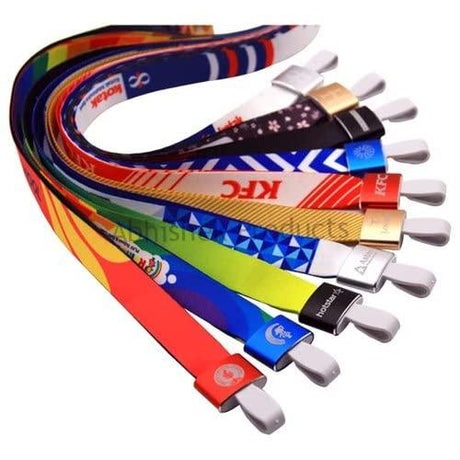
For those setting up a complete printing business, Abhishek Products in Secunderabad offers a range of complementary equipment. This includes Mug Printing Machines, Lanyard Heat Press Machines, and Button Badge Machines. While the Pantum handles the documentation and office needs, these specialized machines expand your business into corporate gifting and promotional products.
Frequently Asked Questions
⚡ Fast Answers Summary
- The Pantum M7102DW offers fast and high-definition printing speeds up to 33ppm for A4 size paper and 35ppm for Letter size paper.
- Yes, the Pantum M7102DW supports multiple media sizes and media weights up to 200g/㎡.
- The Automatic Document Feeder (ADF) on the Pantum M7102DW supports high scanning speeds up to 24ppm for A4 documents and 25ppm for Letter size.
The Pantum M7102DW offers fast and high-definition printing speeds up to 33ppm for A4 size paper and 35ppm for Letter size paper. This makes it one of the most efficient monochrome laser printers in its class for Indian small businesses and Xerox shops that handle high volumes of document printing daily.
Yes, the Pantum M7102DW supports multiple media sizes and media weights up to 200g/㎡. This is significantly higher than standard office printers, allowing you to print on thicker materials like certificates, heavy forms, and thin cardstock without causing paper jams or reducing print quality.
The Automatic Document Feeder (ADF) on the Pantum M7102DW supports high scanning speeds up to 24ppm for A4 documents and 25ppm for Letter size. It can handle a maximum scan size of 216 x 356mm, and you can scan directly to E-mail, PC, FTP, or a USB drive for maximum convenience.
The Pantum M7102DW features easy one-step wireless installation. It supports multiple connectivity options including High-Speed USB 2.0, Ethernet network, and WIFI. It also supports mobile printing, allowing you to send documents directly from your smartphone to the printer without needing a computer.
This printer includes specialized "ID copy" and "N-up copy" functions. The ID copy function is specifically designed to scan both sides of an ID card and print them on one side of the paper automatically. N-up copy allows you to print multiple pages of a document on a single sheet to save paper.
Abhishek Products (S.K. Graphics) in Secunderabad provides lifetime free support for the printing machines they supply. With over 32 years of experience in the industry, they offer solutions to printing problems, quality issues, and technical troubleshooting for the Pantum M7102DW and other printing equipment.