✨ Featured Products

Abhishek Design Studio – Online Button Badge Design Tool (PNG/PDF Export)
₹1

58x58 mm Badge Template PDF File - Digital Download
₹100

Button Badge Machine 44 mm - 1 Pressing Machine + 44 mm Mould
₹10500

Button Badge Machine 58 mm - 1 Pressing Machine + 58 mm Mould
₹10500

Aluminium Mould 2 Sizes - 58 + 44 mm Mould For Button Badge Machine
₹10500

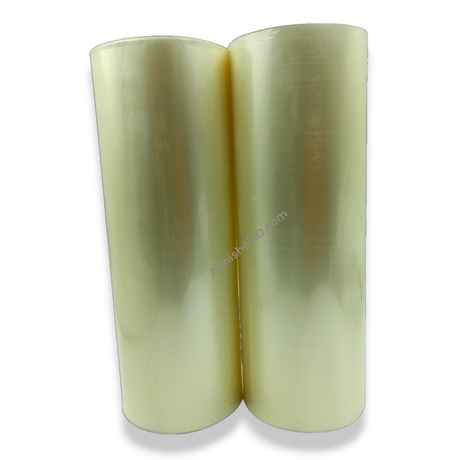
Canvas Cold Lamination Roll - 12.5 Inch
₹699

Plastic 58mm Badge & Magnet Maker Machine - DIY Pin Press with Circle Cutter
₹5300

44mm Button Badge | Pin Button Badge Raw Material
₹569
Button Badge PDF Print at 100% Scale on A4
Button Badge PDF Print at 100% Scale on A4
Quick Summary
Achieving perfectly sized button badges starts with accurate printing. This guide shows you how to use [Abhishek Design Studio – Online Button Badge Design Tool (PNG/PDF Export)](https://abhishekid.com/products/abhishek-design-studio-online-button-badge-design-tool-png-pdf-export) to export your designs as 100% scale PDFs for A4 paper, ensuring your badge graphics align flawlessly with your cutters and badge machines.
- Always print your badge PDFs at 'Actual Size' or '100% Scale'.
- Utilize the built-in guides and 'TOP' indicator in Abhishek Design Studio for precise alignment.
- Optimize paper usage by exporting full A4 sheets directly from the design tool.
How to Print Button Badge PDFs at 100% Scale on A4 for Perfect Results
Watch the demo: https://www.youtube.com/watch?v=Z4lMAwMB9Fc
The Importance of 100% Scale for Button Badges
When you're crafting button badges, precision is paramount. A slight deviation in print size can mean the difference between a perfectly crimped badge and a frustrating misfire. Printing your designs at 100% scale (often called 'Actual Size' in print dialogues) ensures that the artwork on your paper matches the exact dimensions required by your badge components and your circle cutter. If your print is even slightly scaled down or up, your design will either be too small, leaving an unsightly white ring, or too large, causing wrinkles and difficulty in assembly.

This is especially critical when you're using a dedicated circle cutter, such as the 70MM Round Die Paper Cutter - For Upto 300 Gsm Paper. These tools are engineered to cut precise diameters. If your printed design isn't the correct size, the cutter won't align properly with the bleed area, leading to off-centre graphics or cut-off elements.
Designing Your Badge with Precision in Abhishek Design Studio
Abhishek Design Studio – Online Button Badge Design Tool (PNG/PDF Export) is your go-to online tool for creating button badge designs that are ready for print. It's built with precision in mind, offering features that simplify the design process and ensure print accuracy.
Here’s how to leverage its capabilities:
- Select Your Badge Size: The first step is crucial. Open Abhishek Design Studio – Online Button Badge Design Tool (PNG/PDF Export) and choose your target badge size and shape from the drop-down menu (e.g., 75mm, 58mm, 50mm square, 44mm, or 32mm). The software automatically loads the precise bleed line and safe zone boundaries, eliminating guesswork.
- Utilise Guides for Perfect Layout:
*