✨ Featured Products

Face Crop Studio - Unlimited Use Batch Photo Cropper for 1 Year
₹499

A4 Glossy Photo Paper 180 GSM | High Gloss for Inkjet Printers
₹259

A4 2 Side 180 Gsm Photo Paper High Glossy - Dual Side Photo Paper
₹269

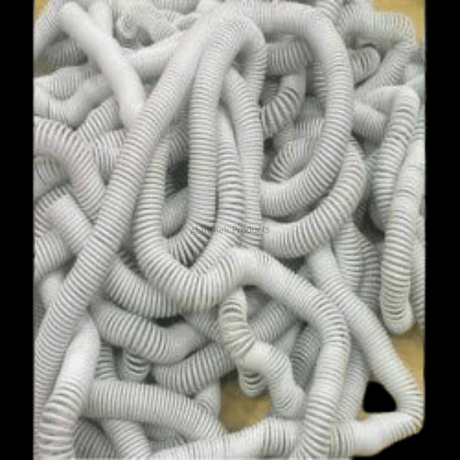
White PVC Spiral Binding Rings — 8mm to 52mm
₹299

A4 Glossy Cold Lamination For ID Cards & Photo Frames
₹569

A4 AP Sticker 130 Mic – High Glossy Waterproof ID Card Inkjet Sheet
₹875
Passport Size Photo Crop: India Dimensions Guide
Passport Size Photo Crop: India Dimensions Guide
Quick Summary
Getting passport-size photos right for Indian applications means precise cropping. This guide covers the essential dimensions (35x45 mm and 2x2 inch) and offers a streamlined workflow using batch processing tools. Use Face Crop Studio.
- Indian passport photos are typically 35x45 mm.
- US visa photos often require 2x2 inch dimensions.
- Batch cropping software like Face Crop Studio saves time and ensures accuracy.
How to Perfectly Crop Passport Size Photos for Indian Documents?
Understanding Indian Passport Photo Dimensions: 35x45 mm
The most critical detail for Indian passport and visa applications is the photograph size. The standard requirement is 35mm in width and 45mm in height. This specific ratio and size are mandated to ensure uniformity and compliance across all official documents. It's not just about the overall size; the face must occupy a certain percentage of the photo, typically between 70-80% of the area, from the bottom of the chin to the crown of the head.
When you're preparing photos, remember these key points for 35x45 mm:
- Width: 35 millimeters
- Height: 45 millimeters
- Head Size: The head, from the bottom of the chin to the top of the head (including hair), should be between 25mm and 35mm.
- Background: Plain white or off-white, with no shadows.
- Expression: Neutral facial expression, eyes open and visible, mouth closed.
Getting these details right from the start saves a lot of hassle later. Using reliable photo paper also makes a difference in the final output quality. For crisp, clear prints, consider options like A4 Glossy Photo Paper 180 GSM | High Gloss for Inkjet Printers or Nova Prismajet A4 270 Gsm Photo Paper Rc Coated.
The 2x2 Inch Photo Crop: When and Why It's Different
While 35x45 mm is standard for Indian documents, you'll frequently encounter requests for 2x2 inch photos. This size is primarily required for applications to the United States, such as US visa applications (including Green Card lotteries) and US passport applications. It's crucial to understand that these two sizes are not interchangeable.
Here's a quick comparison:
- 2x2 Inch: Approximately 51mm x 51mm. This is a square format.
- 35x45 mm: A rectangular format, smaller than 2x2 inch.
Attempting to use a 35x45 mm photo for a 2x2 inch requirement (or vice-versa) will almost certainly lead to rejection. Always confirm the specific requirements for the country or document your client needs. For US visa photos, the head size within the 2x2 inch frame also has specific guidelines, typically between 1 inch and 1 3/8 inches (25 mm and 35 mm) from the bottom of the chin to the top of the head.
Having the right tools to switch between these common dimensions effortlessly is a game-changer for any busy print shop.
Related supply: Face Crop Studio - Unlimited Use Batch Photo Cropper for 1 Year
Streamlining Your Workflow with Batch Cropping Tools
Manually cropping each photo to precise dimensions can be incredibly time-consuming and prone to human error, especially when dealing with multiple clients or large batches. This is where specialized batch image processing applications like Face Crop Studio become invaluable.
Face Crop Studio - Unlimited Use Batch Photo Cropper for 1 Year is designed to automate this process, allowing you to crop multiple portrait photos simultaneously. It intelligently detects and centers faces, eyes, or noses, ensuring consistent and compliant results every time. This is particularly useful for high-volume ID-card printing, student database management, and professional photo studios.Here’s how a typical workflow looks:
- Launch the App: Open the Face Crop Studio application in your web browser. (Watch a demonstration here: https://www.youtube.com/watch?v=RVG476UKZu0)
- Upload Images: Drag and drop or browse to upload multiple portrait photos. The tool supports common formats like PNG, JPG, and WEBP.
- Choose Crop Shape/Dimensions: Select a predefined crop shape (like a standard rectangle for passport photos) or input custom dimensions (e.g., 35x45 mm or 2x2 inch).
- Set Centering Preference: Decide whether the cropping boundary should center on the entire Face, the Eyes, or the Nose for optimal composition.
- Adjust Margins (Optional): Use a slider to fine-tune the margin around the face if needed.
- Run Batch Crop: Click the