How to Epson PVC Card: A Complete Guide for L800 Series Printers
How to Epson PVC Card: A Complete Guide for L800 Series Printers
Epson Special Quality PVC Cards are the industry standard for professionals using the L800 series inkjet printers. These glossy white cards are engineered to provide a seamless printing journey, ensuring that every ID card or creative project reflects a high-resolution, professional appearance. Whether you are running a small print shop in Secunderabad or managing corporate identification for a large firm, these cards offer the perfect synergy of innovation and quality.
Before you start
For beginners, the Epson PVC Card guide starts with verifying printer compatibility; these cards work exclusively with the Epson L800, L805, L810, L850, L8050, and L18050 models. Start by loading the cards into the tray with the glossy side facing up, ensuring they are seated firmly in the slots. Always perform a nozzle check on your printer before starting a batch of 200 cards to avoid wasting material on misprints.
Abhishek Products offers lifetime free support to help beginners solve any printing problems or quality issues. This support is vital for those new to the ID card industry in India, providing a safety net for your investment. You can join our community for updates on our Telegram Channel or follow us on Facebook.
Epson PVC cards work through a specialized chemical coating applied to the plastic surface that allows standard inkjet ink to bond permanently without smearing. Unlike traditional PVC cards that require thermal transfer ribbons, these cards are designed for the L800 series' micro-piezo print heads, which spray tiny droplets of ink onto the glossy white surface. This results in a high-resolution finish that is both visually stunning and durable for daily use.
This technology is particularly effective for Indian businesses looking to reduce costs while maintaining professional standards. The synergy between the Epson L8050/L18050 printers and these specific cards ensures that colors remain vibrant and details stay sharp. To explore more about our plastic products, visit indiaplastic.in.
Setup steps
Design and layout
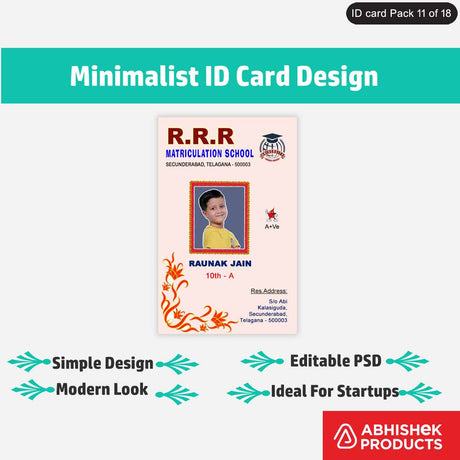
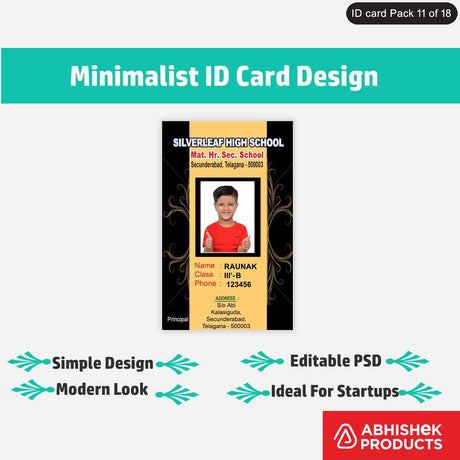
The Epson PVC Card step-by-step process begins with designing your card layout using standard ID card dimensions in your preferred graphic software. Once the design is ready, insert the glossy white PVC card into the L800 series card tray and select the correct tray source in your printer driver settings. After printing, allow the card a few seconds to set, though the special coating is designed for rapid drying.
Printing procedure
- Prepare your design in a high-resolution format (300 DPI or higher).
- Place the Epson Special Quality PVC Card into the printer's PVC tray.
- Select the L800 series printer (e.g., L8050) and set the media type to 'Inkjet Printable Card'.
- Execute the print command and wait for the tray to eject.
- Inspect the glossy finish for color vibrancy and precision.
For a visual demonstration of this process, check out our Youtube channel. If you are in the Secunderabad area, you can visit our New Showroom for a live demo.
How to use the printer
To use an Epson PVC card, you must place the glossy white inkjet-printable card into a dedicated PVC card tray compatible with Epson L800 series printers. These cards are specifically designed with a surface coating that absorbs inkjet ink, allowing for high-definition results that dry instantly. Ensure your printer settings are adjusted to 'High Quality' and the paper type is set to the recommended glossy or card setting for the best color accuracy.
Using these cards requires an Epson L800, L805, L810, L850, L8050, or L18050 printer. The standard size and inkjet-printable thickness make them a reliable choice for consistent production. By choosing the 200-card pack from Abhishek Products, you ensure a steady supply of high-quality canvases for your business needs. For more technical insights, you can visit our Blog.
The best way to use Epson PVC cards is to print them using original Epson L-series printers like the L8050 or L18050 to ensure vibrant and precise results. It is essential to handle the cards by their edges to prevent oils from your hands from affecting the inkjet-receptive coating on the glossy white surface. For bulk operations, maintaining a clean environment prevents dust from interfering with the high-resolution print output.
Professionals recommend using these cards for business cards and ID cards because the glossy finish adds a touch of durability and visual appeal. Abhishek Products, with over 32 years of experience, provides a detailed item-wise timing and temperature chart for various printing needs, ensuring you get the most out of your equipment. You can see our full range of solutions on our Website.
Related products
The Epson Special Quality PVC Cards (Pack of 200) are ideal for professional ID card production because they are specifically tailored for the L800, L805, L810, L850, L8050, and L18050 printers. These cards feature a glossy white finish and inkjet-printable thickness, ensuring a professional appearance for every project.
The Abhishek Products Support Package is ideal for new business owners because it includes lifetime free support and a detailed timing and temperature chart for the largest range of printing products in India. This expertise comes from 32+ years of industry leadership.
Frequently Asked Questions
⚡ Fast Answers Summary
- These PVC cards are specifically designed for the Epson L800 series.
- Each pack of Epson Special Quality PVC Cards contains 200 high-quality cards.
- The cards feature a glossy white finish.
These PVC cards are specifically designed for the Epson L800 series. Compatible models include the Epson L800, L805, L810, L850, L8050, and L18050. Using these cards with other printer types may not yield the same high-resolution, smudge-proof results due to the specialized inkjet-receptive coating.
Each pack of Epson Special Quality PVC Cards contains 200 high-quality cards. This bulk packaging is designed to provide a cost-effective solution for businesses in India that require a consistent supply for ID card and business card production.
The cards feature a glossy white finish. This finish is specifically chosen to enhance the vibrancy of inkjet prints, making colors pop and ensuring that text remains sharp and legible. The glossy surface also provides a professional look and feel to the final product.
No, these cards are designed to work with the standard inkjet inks used in the Epson L800 series printers. The 'Special Quality' refers to the card's coating, which is engineered to absorb standard inkjet ink and dry quickly without the need for specialized thermal ribbons.
You can purchase these cards directly from Abhishek Products at abhsk.com/8c8gw. Our physical store is located at Shop no 37, Ground floor, Minerva Complex, S.D. Road, Secunderabad, Telangana. You can find our exact location at abhsk.com/location.
Abhishek Products provides lifetime free support for all printing problems and quality issues. With over 32 years of experience, we offer detailed item-wise timing and temperature charts and continuous upgrades on new technology to ensure our clients stay ahead in the industry.