How to Epson PVC Card: A Guide for L800 and L8050 Printers
How to Epson PVC Card: A Guide for L800 and L8050 Printers
Epson Special Quality PVC Cards are designed for professionals who require high-resolution, vibrant prints on a durable plastic substrate. These glossy white cards are specifically engineered for inkjet printing, making them a standard choice for ID card production in India. Whether you are running a small printing shop in Secunderabad or a large corporate office, these cards provide the necessary canvas for professional identification.
Before you start
The Epson Special Quality PVC Cards (Pack of 200) are compatible with the L800, L805, L810, L850, L8050, and L18050 printers. These models feature specialized feeding mechanisms that handle the thickness of a standard PVC card. Using these cards with non-compatible printers may result in feed errors or poor ink adhesion.
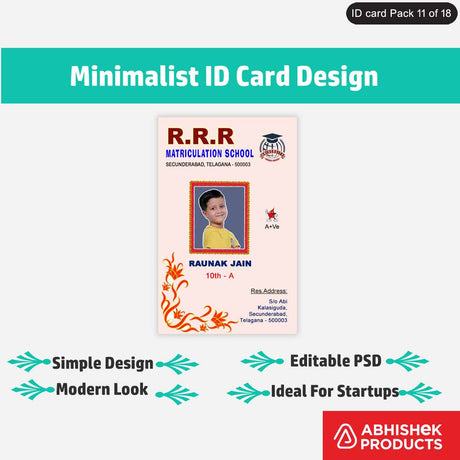
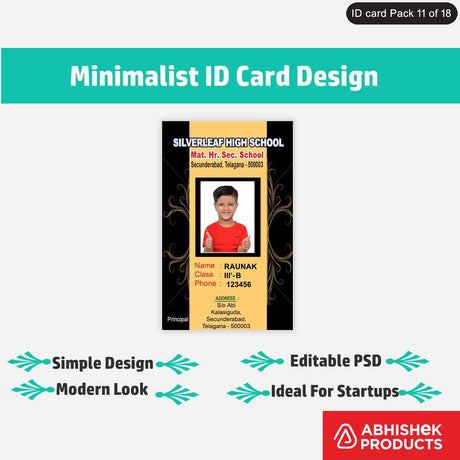
To use an Epson PVC card, you must have a compatible Epson L-series printer equipped with a dedicated PVC card tray. These cards are specifically coated to absorb inkjet ink, which prevents smudging and ensures sharp detail. For Indian businesses, these cards are ideal for creating Aadhaar card reprints, PAN card copies, and school ID cards. Because they are inkjet-printable, you do not need expensive thermal transfer ribbons; your existing Epson L-series ink is sufficient.
The cards are 'Glossy White,' meaning they have a shiny finish that enhances color depth. Unlike standard plastic cards, these have a specialized chemical coating. This coating is what allows standard Epson inkjet ink to dry instantly and stay permanent without the need for lamination.
Setup steps
Step 1: Design Preparation
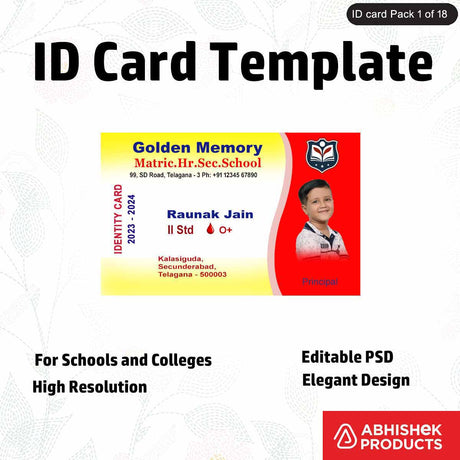
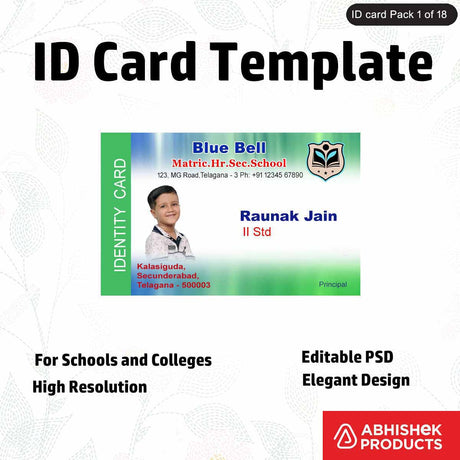
Prepare your design using a template that matches the standard PVC card size. Ensure the resolution is set to at least 300 DPI for clarity.
Step 2: Card Placement
Place the Epson Special Quality PVC Card into the specific ID card tray provided with your L800, L805, or L8050 printer. Ensure the card is seated flat in the tray slot.
Step 3: Printer Settings
Open your printer settings on your computer. Select 'PVC Card' or 'CD/DVD' as the media type, depending on your specific printer driver's options. Set the quality to 'High'.
Step 4: Tray Insertion
Insert the tray into the printer's front slot, aligning the arrows on the tray with the marks on the printer. Press the 'Print' button on your computer.
Step 5: Drying Time
Once the printer ejects the tray, remove the card carefully. Although these cards are designed for quick drying, it is best to let them rest for 60 seconds to ensure the glossy finish is set.
How to use the printer
The best way to use Epson PVC cards is to ensure your design matches the standard CR80 size dimensions. You should set your printer resolution to 'High' or 'Best Photo' to take full advantage of the glossy inkjet coating. This setting ensures the printer deposits the correct amount of ink for a crisp, high-contrast finish.
Epson PVC cards work through a specialized nanoporous coating applied to the surface of the plastic. Standard PVC is non-porous, meaning regular inkjet ink would simply bead up and slide off. The 'Special Quality' coating on these cards acts like a sponge at a microscopic level, pulling the ink into the card surface. This technology allows the Epson L800 series printers to achieve 'vibrant and precise' results. The ink is trapped beneath the top layer of the coating, which provides a level of water resistance and durability.
The synergy between the Epson L8050 or L18050 print heads and these cards ensures that even small text, such as that found on employee ID cards or government documents, remains legible. The glossy white base provides a high-contrast background that makes both black text and color photos stand out.
Troubleshooting or common issues
- Fingerprints: Always handle the cards by the edges to avoid leaving fingerprints on the printable surface. Oils from skin can interfere with ink absorption, leading to uneven patches in the final print.
- Humidity: In the Indian market, humidity can affect drying times. The best practice is to allow the cards to sit for a few minutes after printing before handling them extensively.
- Bulk Printing: For bulk printing, using the Epson L8050 or L18050 is recommended as these newer models offer faster processing speeds for the 200-card packs.
- Support: Beginners can benefit from the lifetime free support offered by Abhishek Products for troubleshooting printing issues.
Related products
The Epson Special Quality PVC Cards (Pack of 200) is the primary choice for L800 series owners because it is specifically tailored for inkjet printability and glossy results.
Abhishek Products in Secunderabad provides these high-quality cards to ensure a seamless printing journey. With 32+ years of experience, they offer the largest range of products and lifetime free support for all printing problems. When you buy from AbhishekID.com, you are sourcing from a company with expertise that ensures the cards you receive are compatible with your L800 series machines.
Frequently Asked Questions
⚡ Fast Answers Summary
- These cards are compatible with the Epson L800, L805, L810, L850, L8050, and L18050 printers.
- Each pack contains 200 high-quality glossy white PVC cards.
- No, you do not need special ink.
These cards are compatible with the Epson L800, L805, L810, L850, L8050, and L18050 printers. These specific models have the necessary tray-loading system to handle the thickness of these inkjet-printable PVC cards. Using them in other printers without a card tray is not recommended.
Each pack contains 200 high-quality glossy white PVC cards. This quantity is designed to provide a perfect canvas for creative projects, business cards, and professional ID card production for small to medium-sized enterprises.
No, you do not need special ink. These cards are designed to work with the standard inkjet inks used in Epson L-series printers. The special coating on the cards ensures that the ink adheres properly and dries with a vibrant, high-resolution finish.
The inkjet-printable coating provides a significant level of water resistance once the ink has fully dried. While they are durable for daily use as ID cards, they should not be submerged in water for extended periods. The glossy finish helps protect the print from moisture and handling.
These are standard-sized PVC cards with a glossy white finish. The size conforms to the standard CR80 dimensions used for credit cards and ID cards. The glossy surface ensures that the final print looks professional and visually appealing.
You can purchase genuine Epson Special Quality PVC Cards from AbhishekID.com or visit Abhishek Products at their showroom in Secunderabad, Telangana. They have over 32 years of experience and offer lifetime free support for all their printing products.