How to Install & Use a Roll to Roll Laminator?
How to Install & Use a Roll to Roll Laminator?
Operating a professional lamination setup in an Indian print shop requires understanding the mechanics of thermal film feeding. The 13 Inch Steel Roll To Roll Thermal Lamination Machine 360 is a standard choice for businesses in Secunderabad and beyond due to its durability and 13-inch width capacity.
How to How To Install Use A Roll To Roll Lamination Machine Explained in Telugu AbhishekIDcom
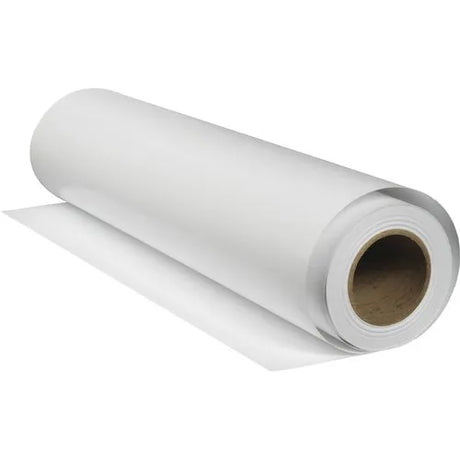
To install a roll-to-roll lamination machine, you must first align the film roll correctly on the supply rod. The film must pass underneath the secondary rod located at the front of the machine. Ensure the film is centered so it does not drift during the thermal process. In the Telugu guide provided by AbhishekID.com, emphasis is placed on the physical alignment before the heating element is activated.
Once the film is positioned under the rod, you must engage the U-shape lock. This lock is located on the side of the machine and must be pushed upwards to secure the rod in place. This prevents the film from slipping while the rollers are in motion. Proper locking is essential for maintaining consistent tension across the document surface, especially when handling bulk orders of ID cards or certificates.
After locking, the machine needs time to reach the required temperature. You will know the machine is ready when the thermal glue on the film begins to melt. You can test this by touching the film lightly; if it adheres to the roller when pressed, the glue has reached its melting point. This thermal activation is what creates the permanent bond between the plastic film and your paper document.
What is the best way to
The best way to operate the setup is to use a folded waste sheet during the initial feed. This technique prevents the wastage of actual documents and ensures the film is pulled through the rollers evenly. Fold a piece of waste paper and insert it into the rollers to catch the film. Once the waste sheet passes through the back of the machine, you can begin feeding your actual A3 or A4 documents.
Using the Lamination Machine Roller Cleaner is the most effective way to maintain the process. Over time, melted glue can leak from the edges of the film and coat the rollers. This buildup causes documents to stick or wrap around the rollers, leading to expensive repairs. Regular cleaning with a specialized chemical keeps the surface smooth and prevents jams.
For Indian business owners, the 13-inch machine is superior to standard A4 models because it offers versatility. While an A3 document is typically 11.5 inches wide, the 13-inch machine provides an extra 1.5 inches of clearance. This extra space allows for easier alignment and reduces the risk of the document edge catching on the machine frame. If you only process small ID cards, a smaller machine like the Snnkenn 12 Inch A3 350 Mic Lamination Machine may suffice, but the 13-inch model remains the industry standard for roll-to-roll tasks.
guide for beginners
Beginners should focus on the "two-side" rule for roll-to-roll lamination. Running the machine with film on both the top and bottom rollers is significantly safer than attempting single-sided lamination. Single-sided lamination often causes the film to curl or stick directly to the bottom roller, which can damage the machine's internal components. Using two rolls ensures the glue surfaces face each other, protecting the rollers.
When setting up the machine for the first time, check the Spare Lamination Rod for 13-Inch Thermal Lamination Machines to ensure it is not bent or obstructed. The rod must rotate freely to allow the film to unwind without resistance. If the film is pulled too tightly, it may snap; if it is too loose, it will create bubbles or wrinkles in the finished product. Beginners should practice with scrap paper until they can achieve a smooth, bubble-free finish.
Safety is paramount when dealing with thermal equipment. Always keep the machine on a flat, stable surface and avoid touching the rollers directly when the heat is turned on. Once your lamination task is complete, turn off the power and allow the rollers to cool down before covering the machine. If the machine is left on without documents passing through, the heat can degrade the rollers over time.
step by step
Step 1: Place the film roll on the top supply rod, ensuring the glue side will face the document. Pass the film end under the secondary guide rod at the front of the machine. This ensures the film enters the rollers at the correct angle for a flat finish.
Step 2: Secure the rod using the U-shape lock mechanism. Push the lever up until it clicks into place. This step is vital for maintaining the tension required to pull the film from the roll consistently. Without this lock, the film may bunch up at the entry point.
Step 3: Turn on the heating element and wait for the glue to melt. You can verify the temperature by checking if the film sticks to the roller. In Indian climates, the heating time may vary slightly based on the ambient temperature and the thickness of the film used (typically measured in microns).
Step 4: Prepare a waste sheet by folding it in half. Insert the folded edge into the rollers. This sheet acts as a leader, pulling the film through the machine and ensuring it is properly aligned before you insert valuable documents like certificates or ID cards.
Step 5: Feed your documents continuously. As the waste sheet exits the back, immediately follow it with your documents. Keep a consistent pace to avoid heat spots. Once finished, use a blade at the rear corner to separate the laminated documents from the roll.
How does work
The roll-to-roll lamination process works through a combination of heat and pressure. The machine uses internal heating elements to reach a temperature where the solid glue on the lamination film becomes a liquid. As the rollers turn, they press the film and the document together, forcing the liquid glue into the fibers of the paper. This creates a tamper-proof, waterproof seal.
The 13-inch capacity of the 13 Inch Steel Roll To Roll Thermal Lamination Machine 360 allows it to handle various document sizes common in the Indian market. While A3 paper is 11.5 inches wide, the machine's 13-inch rollers provide a buffer zone. This prevents the edges of the film from overhanging the rollers too much, which reduces the amount of glue that leaks onto the machine parts.
Maintenance is the final part of how the system works effectively. Using a white bottle of chemical roller cleaner ensures that the steel and rubber rollers remain free of debris. If the rollers are dirty, the pressure will be uneven, leading to silvering or bubbles. Regular cleaning is the most important step for any shop in Secunderabad looking to provide high-quality lamination services.
Best Products for Roll To Roll Lamination
The 13 Inch Steel Roll To Roll Thermal Lamination Machine 360 (₹Contact for price) is ideal for professional print shops because it features a 13-inch capacity and durable steel construction for high-volume use.
The Lamination Machine Roller Cleaner - Keep Your Laminator Smooth (₹Contact for price) is ideal for daily maintenance because it removes melted glue buildup that causes document jams.
The Snnkenn 12 Inch A3 350 Mic Lamination Machine (₹Contact for price) is ideal for heavy-duty ID card and certificate lamination because it supports film thicknesses up to 350 microns.
The Spare Lamination Rod for 13-Inch Thermal Lamination Machines (₹Contact for price) is ideal for replacing damaged parts in FM 360 and PDFM 360 models to ensure smooth film rotation.
For more information on lamination equipment and ID card printing supplies, visit the AbhishekID.com homepage.