- How to
- What is the best way to use general
- general guide for beginners
- general step by step
- How does general work
- Best Products for Lamination and ID Printing
- Frequently Asked Questions
- Why shouldn't I turn off my lamination machine immediately?
- What is Cold Mode on a laminator?
- How long should I wait for the machine to cool down?
- Does improper shutdown affect lamination quality?
- What temperature should I set for the cooling cycle?
- Where can I get lamination machine repairs in Secunderabad?
How to Extend Your Lamination Machine's Life?
How to Extend Your Lamination Machine's Life?
In the busy environment of an Indian Xerox shop, the lamination machine is often considered the 'jaan' or the soul of the business. However, many operators unknowingly reduce the lifespan of this critical equipment by switching it off abruptly. Proper maintenance starts with the shutdown procedure, ensuring the rollers remain in perfect condition for the next ID card or document job.
How to
The process of involves a specific cooling sequence that protects the internal silicone rollers of a lamination machine. Instead of cutting the power immediately after a high-temperature job, you must transition the device into a cooling phase. This prevents the residual heat from concentrating on one part of the stationary roller, which can cause warping or 'flat spots'.
For shop owners in Secunderabad and across India, following this sequence ensures that your machine delivers a bubble-free finish every time. When you are finished with your lamination tasks, navigate to the temperature control and set it to zero degrees. This tells the heating element to deactivate while keeping the motor running to circulate air and dissipate heat evenly across the rotating rollers.
What is the best way to use general
The best way to use a general lamination machine is to balance temperature settings with the thickness of the lamination pouch. Most Indian Xerox shops use pouches ranging from 125 microns to 250 microns. Using the correct heat level prevents the pouch from melting too quickly or failing to bond properly. However, the most critical part of 'general' use is the post-production phase.
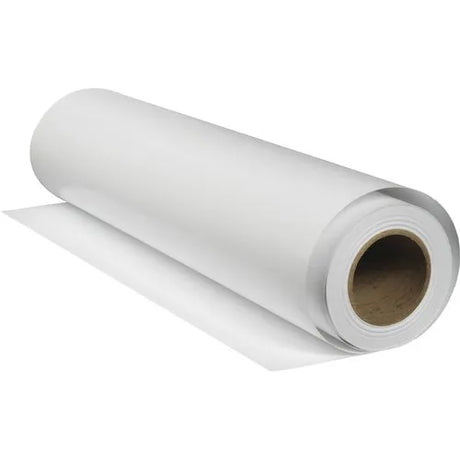
By using the 'Cold' button feature found on professional units, you allow the machine to stabilize. For high-volume lamination, consider the Roll-to-Roll Lamination Machine (₹15,999) which offers automatic feeding and robust heat management. Using a machine within its thermal limits and allowing for a 10-minute cooling period every few hours of continuous operation is the industry standard for longevity.
general guide for beginners
A general guide for beginners starts with understanding that heat is both your friend and your enemy. When you first start your lamination business, always perform a test run with a scrap piece of paper. This helps you verify if the rollers are clean and if the temperature is set correctly for the specific pouch brand you are using. Beginners often make the mistake of leaving the machine on 'Hot' mode even when not in use, which wastes electricity and degrades the rollers.
In the Indian market, where power fluctuations are common, using a stabilizer with your printing equipment is recommended. If you are also handling ID card production, using a high-quality printer like the Evolis Primacy 2 for professional-grade ID card printing alongside your laminator will ensure a premium product for your customers. Remember, the quality of the final laminated card depends 50% on the machine and 50% on how you maintain it.
general step by step
Following a general step-by-step procedure for shutting down your machine will save you thousands in repair costs. Here is the professional workflow used by AbhishekID experts:
- Complete your final lamination task and remove the document from the exit tray.
- Locate the temperature dial or digital display and turn it down to 0 degrees Celsius.
- Press the 'Cold' or 'Cool' button on your control panel.
- Observe the rollers; they should continue to rotate without the heating element being active.
- Wait for approximately 5 to 10 minutes until the external casing feels cool to the touch.
- Only after the cooling period is complete, flip the main power switch to the 'Off' position.
How does general work
General lamination works through a combination of synchronized heat and pressure. The machine uses internal heating elements (either heat plates or heated rollers) to reach a temperature that melts the glue inside a lamination pouch. As the pouch passes through the rollers, the pressure squeezes out air bubbles and creates a permanent seal. If the rollers stop moving while they are still extremely hot, the heat can damage the silicone coating, leading to future jams.
Understanding the mechanics helps you realize why the 'Cold Mode' is essential. The rollers are designed to withstand high heat while moving, but static heat can be destructive. By keeping the rollers turning during the cooling phase, you ensure that no single point of the roller absorbs too much thermal energy. This is why professional shops in Secunderabad always prioritize the cooling cycle over a quick shutdown.
Best Products for Lamination and ID Printing
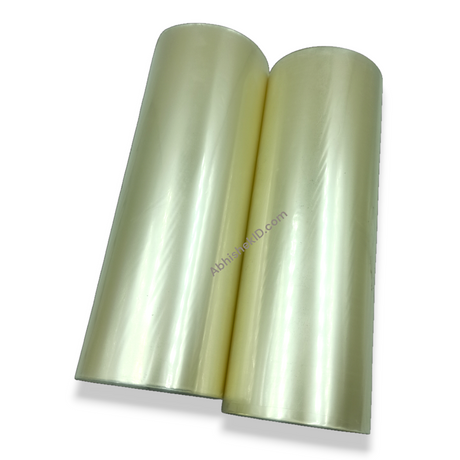
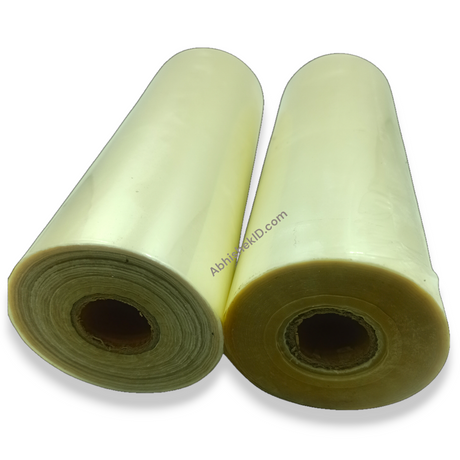
The Roll-to-Roll Lamination Machine (₹15,999) is ideal for high-volume Xerox shops because it supports continuous lamination without the need for individual pouches, significantly reducing the cost per print.
The Evolis Primacy 2 (₹ price varies) is ideal for businesses focusing on ID card issuance because it offers high-resolution printing that pairs perfectly with professional lamination for a long-lasting finish.
Frequently Asked Questions
Why shouldn't I turn off my lamination machine immediately?
Turning off the machine immediately traps extreme heat inside the rollers. This can cause the silicone rollers to warp or develop flat spots, leading to uneven lamination and bubbles in future projects. Always use the cooling cycle to dissipate heat safely.
What is Cold Mode on a laminator?
Cold Mode is a setting where the machine's motor continues to rotate the rollers while the heating element is turned off. This allows the machine to cool down evenly. It is also used for pressure-sensitive 'cold' lamination films that do not require heat to bond.
How long should I wait for the machine to cool down?
You should generally wait between 5 to 10 minutes for the machine to cool down. The exact time depends on the operating temperature you were using. Once the air coming out of the machine feels cool and the casing is no longer hot, it is safe to turn off.
Does improper shutdown affect lamination quality?
Yes, improper shutdown is a leading cause of poor lamination quality. It leads to roller damage which results in lines, bubbles, or waves on your laminated documents. Consistent use of the cooling cycle maintains the smooth surface of the rollers.
What temperature should I set for the cooling cycle?
For the cooling cycle, you should set the temperature to 0 degrees. This ensures the heating coils are completely deactivated while the rollers continue to spin to shed the remaining thermal energy accumulated during operation.
Where can I get lamination machine repairs in Secunderabad?
For professional advice and equipment maintenance, you can visit AbhishekID in Secunderabad. We provide technical insights and high-quality printing equipment to help Indian small businesses maintain their machines for peak performance.
For more professional printing equipment and maintenance tips, visit the AbhishekID.com store.